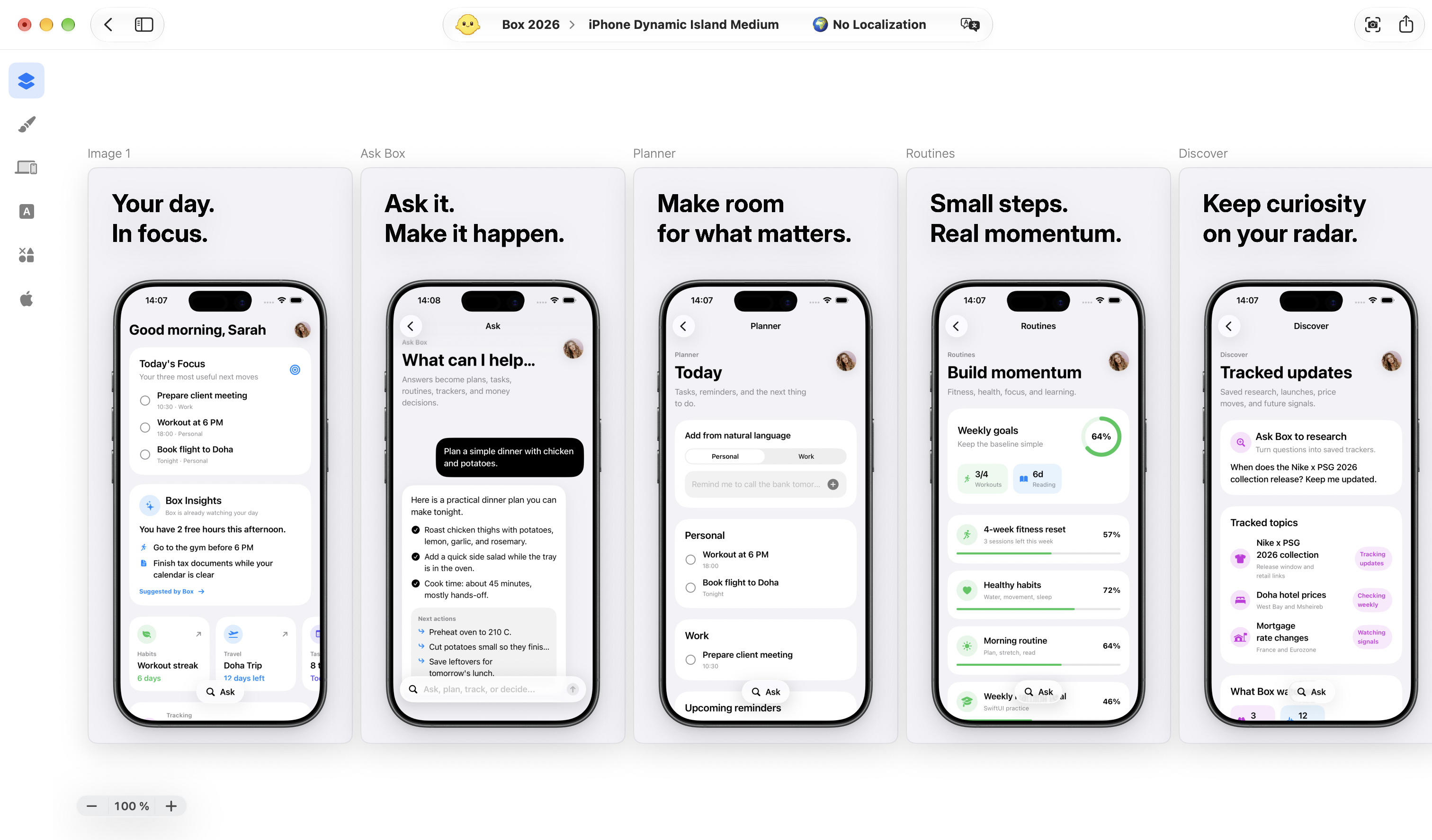
Your original design is ready. The hardest part is already done. Shipper handles Apple’s screenshot specifications so you can adapt your set for iPhone, iPad, and Mac.
A head start. Not a restart.
Choose the sizes you need, adapt your set, and fine-tune where necessary. Your original design stays the starting point.
Tell Codex what you want to ship. Shipper Plugin turns your request into real, editable work inside Shipper, from the first screenshot concept to the final App Store Connect result.
Shipper Plugin requires Shipper for macOS and Codex.
AI work that stays editable.
Take over anytime. Hand it back whenever you want.
Hundreds of screenshots. One publish.
Send every screenshot size, localization, and metadata update to the right place in App Store Connect, without sorting folders or uploading files one by one.
Shipper is a native Mac app for creating App Store screenshots, adapting them to different device sizes, localizing screenshots and metadata, and publishing to App Store Connect, all in one project.
What can I do for free?
You can design your App Store screenshots, adapt your sets to different screenshot specifications, and export PNGs. Start with a template or a blank canvas and keep your project editable.
What does the $25 lifetime access include?
Shipper PRO unlocks Localization, Translation, App Store Metadata, and App Store Connect Publishing, alongside everything in Free. It is a one-time purchase, not a subscription. Shipper Plugin follows the workflows available in your plan.
Can I localize screenshots and metadata?
Yes. Shipper PRO keeps your localized screenshots and metadata together in your project. Apple Translation automates translation for supported languages. You can also use your own AI provider or delegate work to Codex. Review your content in context, including right-to-left layouts such as Arabic.
Can I use Shipper with Codex?
Yes. Shipper Plugin lets Codex work on editable Shipper projects. You can review and adjust the result in the app. Shipper Plugin requires Shipper for macOS and Codex.
Does publishing also submit my app for review?
No. Shipper sends your selected screenshots and metadata to App Store Connect. It does not submit your app for App Review, upload a build, or release your app. You stay in control of those steps.
 Download Shipper
 Design