Hundreds of screenshots. One publish.
Send every screenshot size, localization, and metadata update to the right place in App Store Connect, without sorting folders or uploading files one by one.
 Download Shipper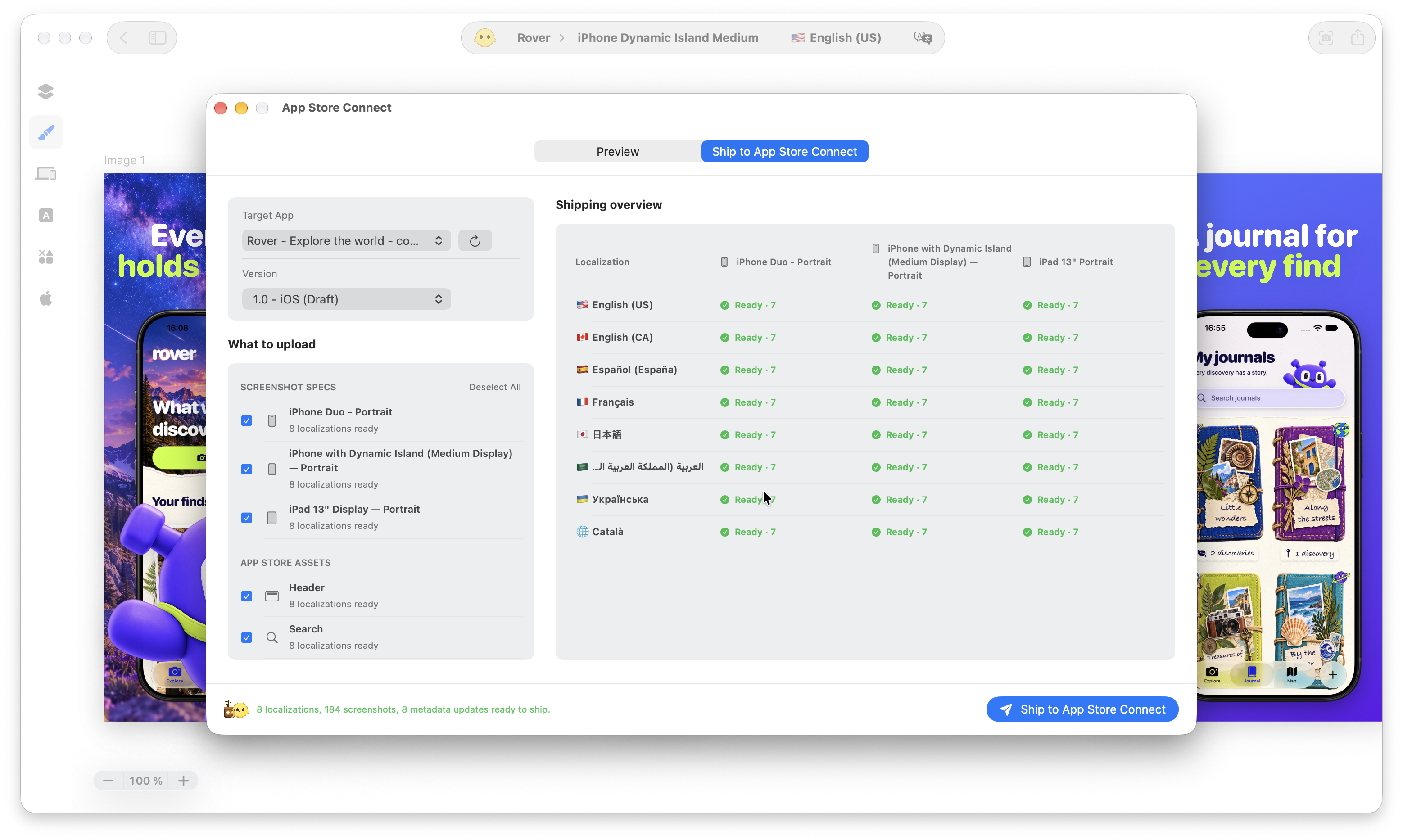
Review once. Ship with confidence.
Know what is ready, what needs attention before publishing, select what you want to ship.
Skip the upload marathon.
Whether your release contains a handful of screenshots or hundreds across multiple locales and specifications, Shipper coordinates it as one publishing workflow. No more navigating through every localization, finding the matching files, and uploading each screenshot set manually.
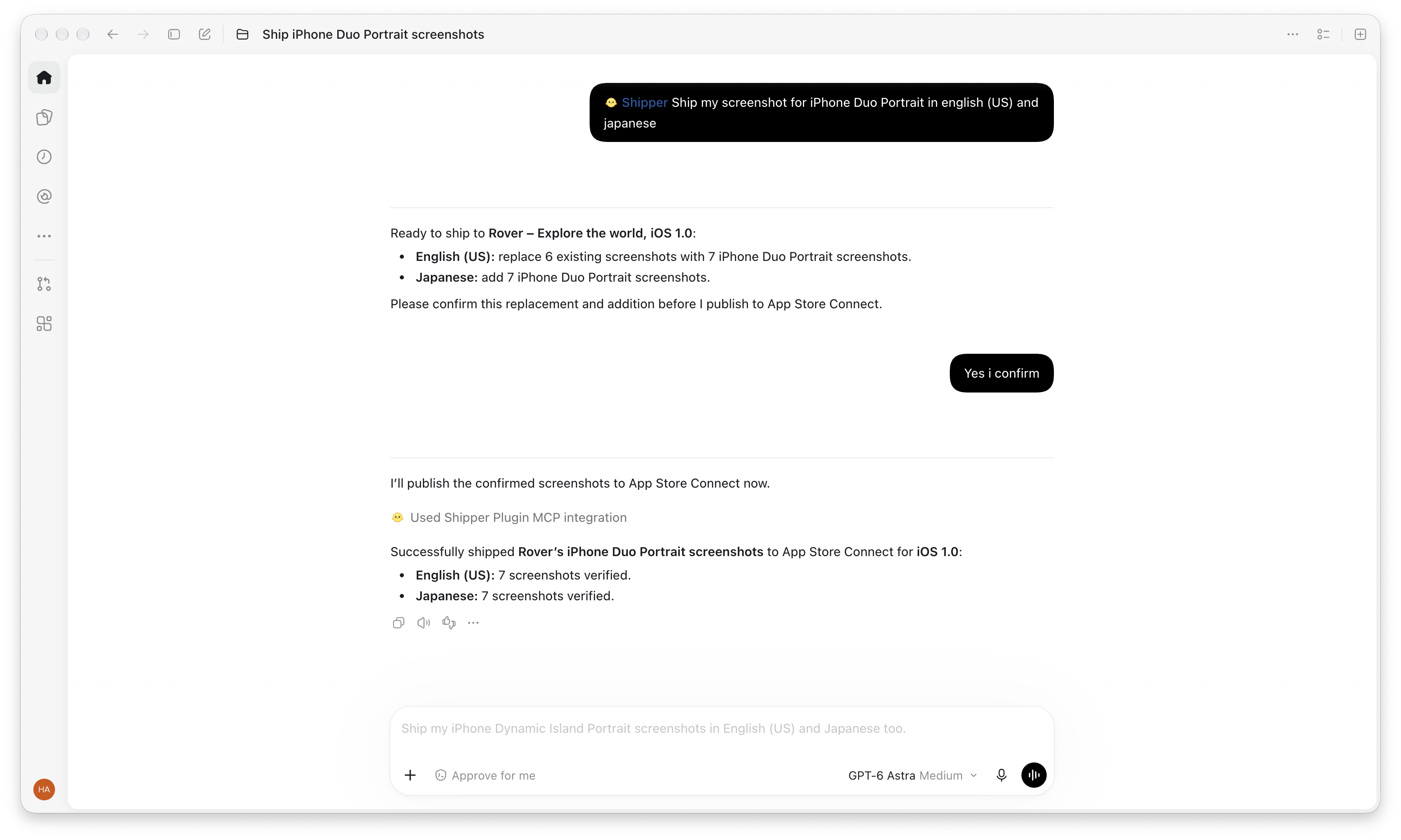
Publish yourself. Or ask Codex.
Codex can ship your assets with your authorization. You just have to ask.
Explore Shipper
What can I publish with Shipper?

Publish screenshots, App Store Header and Search assets, and supported App Store metadata directly to App Store Connect. Choose the content, localizations, and compatible formats you want to include.
Can I publish multiple locales and screenshot sizes together?
Yes. Include multiple localizations and screenshot specifications in the same publishing workflow, without uploading each set manually.
Can I choose exactly what gets published?
Yes. Review your selection before starting and choose which assets and localizations to publish. Content outside that selection is not included.
What happens to content I do not select?
Unselected locales and screenshot specifications remain outside the publishing scope. Shipper shows what will change before the publication begins.
Does Shipper publish App Store metadata too?
Yes. Supported, valid metadata can be published alongside the screenshots for each selected locale.
How long does publishing take?
A single set or two to three locales is usually quick. For around 50 assets, allow roughly 5–10 minutes, depending on your Mac, connection, and processing through Apple’s new Asset Library API used in Shipper 1.2. While Shipper handles the uploads, you can focus on other tasks: less manual work, more time back!
Can I follow the publishing progress?
Yes. Shipper shows the progress of the complete publication while screenshot sets and metadata move through App Store Connect.
What happens if publishing fails?
Shipper shows an error if publishing fails. Check the message before trying again. If the issue persists, get in touch and share the error so I can help.
Can Codex publish for me?
Yes. With the Shipper Plugin, Codex can prepare the exact publishing scope, request your confirmation, launch the publication, and will inform you when its successful.
Does Shipper submit my app for App Review?
No. Shipper publishes screenshots and supported metadata to App Store Connect. It does not submit the app for App Review or manage the release itself.
Is App Store Connect Publishing available for free?
App Store Connect Publishing is available with Shipper PRO.
From design to App Store Connect.
Publish screenshots and metadata across every selected locale and specification, without rebuilding everything anytime.
Download ShipperApp Store Connect Publishing is available with Shipper PRO.