Your starting pointFrom your app.
From your app.
Into your story.
Spend your time shaping the story, not moving files around. Bring your real app screens into Shipper with Device Hub, or use screenshots you already have.
Bring in your real app screens with Device Hub and turn them into a clear, polished App Store story that stays consistent from the first screenshot to the last.
 Download Shipper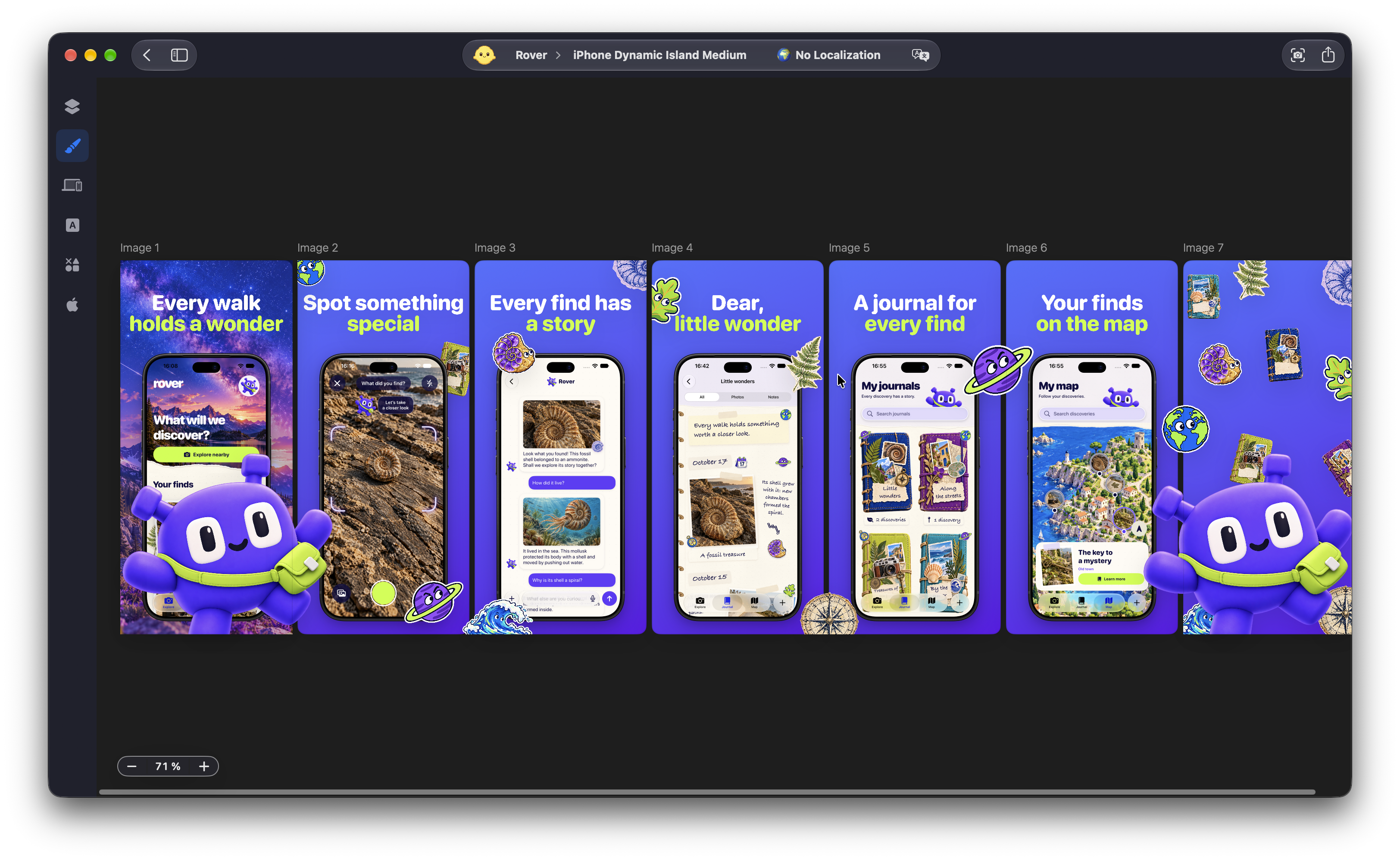
Spend your time shaping the story, not moving files around. Bring your real app screens into Shipper with Device Hub, or use screenshots you already have.
Get past the blank page with an included template, or start from scratch. You choose the starting point. Your app’s identity shapes what comes next.
Give your screenshots a visual language of their own. Shape the backgrounds, typography, and device presentation around what makes your app worth a closer look.
Keep every element editable, so a new idea is a change to your design, not a reason to start over.
Review the set, catch the details, and export high-quality PNGs when it feels right. The editable project stays with you, ready for the next update.
Design, preview, and export for free and with no watermark. Keep your work together from the first idea to the finished set.
Keep the work you’ve already done. Adapt it for another device, take it to another market, and send the finished set to App Store Connect.
Yes. You can create your screenshot designs, adapt your sets to different screenshot specifications, and export PNGs with Shipper Free. Localization and App Store Connect Publishing are PRO workflows.
No. Use an included template for a starting point, or begin with a blank canvas. Either way, your design stays editable so you can make it your own.
Yes. Import your existing screenshots, or bring in screens through Device Hub. Your app’s actual content becomes the starting point for your design.
You can work with backgrounds, colors, gradients, text, typography, device mockups, SF Symbols, illustrations, images, and graphic elements. Build a visual style that feels like your app across the whole set.
Yes. Preview your screenshots and refine the composition before exporting high-quality PNGs. Your editable Shipper project remains the place to return to for future changes.
No need to start from a blank canvas. Adaptive Screenshot Specs uses your design as the starting point for other specifications, with adjustments where needed. Localization then helps you carry the set into other languages with Shipper PRO.
No. PNG export creates files for you to use. Publishing to App Store Connect is a separate PRO workflow, where you choose the screenshots and metadata to send.
Make your app’s first impression your own.
Download ShipperFree to design and export. Native for Mac.