Leave the file maze behind.
Stop managing separate folders. Shipper keeps every localized version inside the same project, so you always know where to work.
Turn one approved design into all your App Store localizations, without duplicating files, rebuilding layouts, or losing track of versions.
 Download Shipper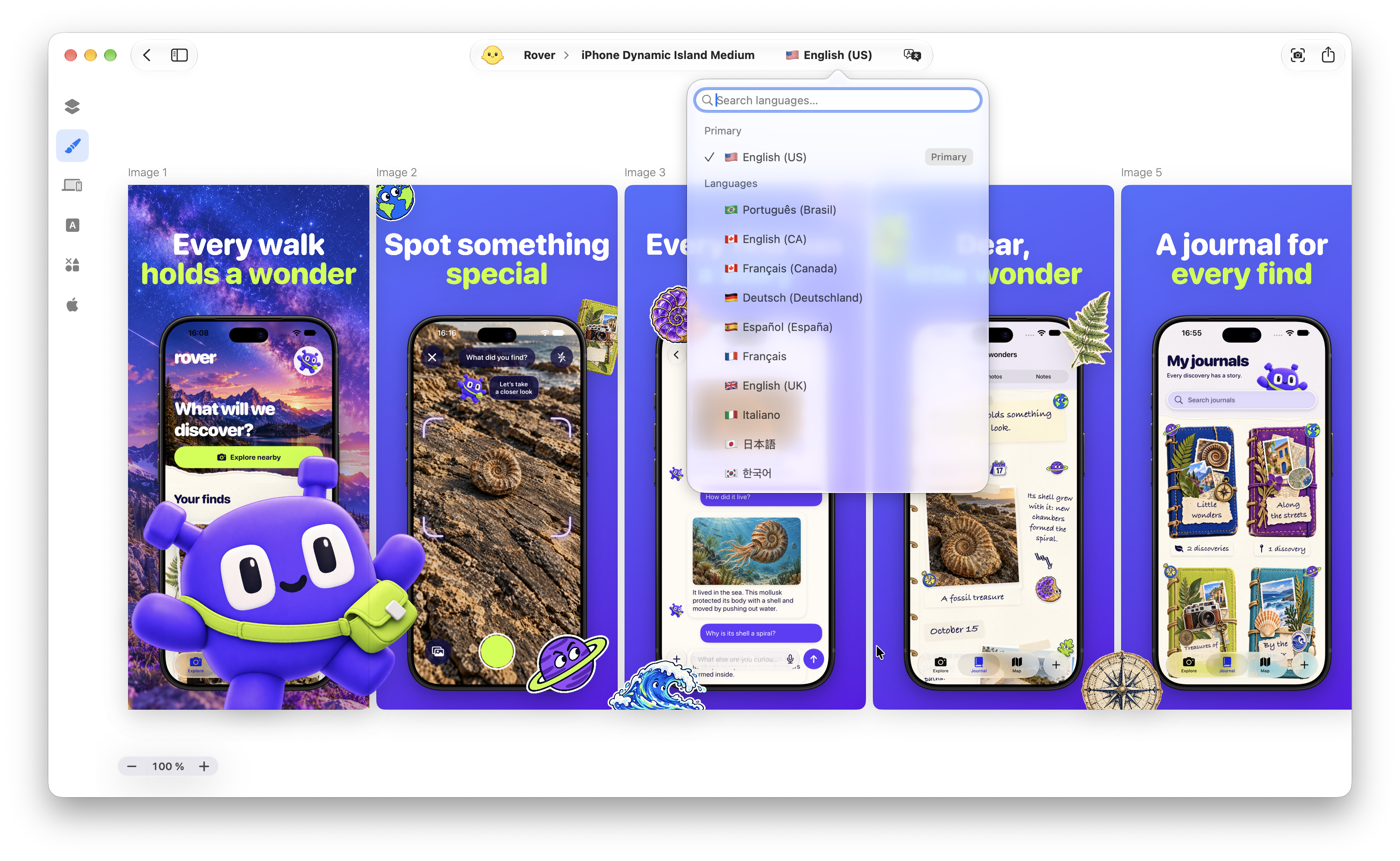
Stop managing separate folders. Shipper keeps every localized version inside the same project, so you always know where to work.
Turn your screenshots and App Store metadata into localized versions. So you spend your time reviewing the result, not moving text between tools.
Automation should not erase what makes your product recognizable. Keep product names, brand terms, and acronyms unchanged with Preserved Words, then review every translation in its real design context.
Custom styles are available with BYOK, not Apple Translation.
Some languages need more than translated words. Shipper handles right-to-left text correctly while keeping app screenshots, mockups, and artwork in their intended orientation.
Longer translations, different line breaks, and new reading directions should not compromise the design. Review and refine every locale while preserving the same visual system across each market.
Shipper can localize editable screenshot copy and supported App Store metadata inside the same project.
For supported languages, Apple Translation works directly inside the localization workflow. You can also use your own AI provider or ask Codex to localize the project when you need a different workflow.
Preserved Words keep product names, brand terms, acronyms, and other protected expressions unchanged during translation.
When using your own AI provider, you can choose Marketing, Friendly, Direct, or Concise. Apple Translation does not support custom translation styles.
Yes. Shipper supports right-to-left editable text while keeping screenshots, mockups, graphics, and artwork in their intended orientation.
No. App screenshots and artwork are not mirrored.
No. Every localization can remain inside the same Shipper project.
Yes. You can switch between locales, review every canvas, and refine localized content before export or publishing.
Localization is available with Shipper PRO.
Keep screenshots, localized copy, and App Store metadata together from the first translation to the final delivery.
Download ShipperLocalization is included with Shipper PRO.