
Publishing an app on the App Store is not one upload. It is a chain of technical, commercial, legal, and review tasks that must agree with each other.
You prepare and sign the build in Xcode. You test it through TestFlight. You create the product page and complete the required declarations in App Store Connect. Then you assemble a submission and send it to App Review.
This guide explains how to publish an app on the App Store in that practical order. Apple changes its tools and requirements regularly, so the changeable details below were verified in August 2026.
1. Prepare the app and its App Store record
Start by creating the app record in App Store Connect. You need a name, primary language, bundle ID, and SKU. Create this record before uploading the first build. The bundle ID in App Store Connect must match the identifier in your Xcode project.
Then inspect the release configuration in Xcode:
Set the public version number and a unique build number.
Confirm the bundle identifier, signing team, certificates, and provisioning.
Review capabilities and entitlements. Remove anything the release does not use.
Add the final app icon and verify every supported target.
Check permission purpose strings for camera, photos, location, microphone, tracking, and other protected resources you access.
Include required privacy manifests for your own code and applicable third-party SDKs.
Test the Release configuration on real supported devices.
As of April 28, 2026, Apple requires uploads to use Xcode 26 or later and the relevant version 26 SDK for the target platform. Check Apple’s upcoming submission requirements again on the day you archive because this requirement will change over time.
In Xcode, select a generic device or appropriate destination, choose Product > Archive, and open the Organizer. Run validation before distribution. Validation can reveal signing, entitlement, icon, and bundle problems before App Store Connect processes the upload.
Xcode is the normal upload route, but Apple also supports other upload workflows. After upload, processing must finish before the build appears in App Store Connect. The bundle ID, version number, and build string associate it with the correct version.
Do not treat a successful upload as proof that the app is ready. It only means Apple accepted the package for processing.
2. Test the release build with TestFlight
TestFlight lets you distribute a processed build without publishing it on the App Store. Apple currently allows up to 100 internal testers and 10,000 external testers. A build remains testable for up to 90 days.
Internal testing is useful for fast checks by eligible App Store Connect users. External testing is better for people outside your team. The first build added to an external testing group must go through TestFlight App Review. Later builds may also require review, especially after significant changes.
For external testing, provide an accurate beta description, feedback email, and working review access.
Test the paths that App Review will inspect:
First launch, onboarding, sign-in, and account recovery
Core tasks on every supported device family
Network failures, deep links, and permissions
Purchases, restores, subscriptions, upgrades, and cancellations
Account deletion when the app supports account creation
TestFlight apps use the sandbox environment for In-App Purchases. Apple accelerates subscription renewals during testing, so sandbox timing does not represent production billing.
TestFlight approval is also not App Review approval. The beta review and public release review serve different purposes.
3. Build a product page that matches the app
The product page is part of the submission, not a task to leave until the build is complete. It sets expectations before download and gives App Review context about the product.
Prepare the app name, subtitle, keywords, description, promotional text, category, app icon, screenshots, previews where useful, and What’s New text for updates. Add localizations only when the wording and visuals have been reviewed in context.
Your claims must match the submitted build. Do not show paid functionality as free, describe unfinished features, use placeholder content, or display interfaces that users cannot reach. Apple expects screenshots, previews, privacy information, and descriptions to reflect the app’s current core experience.
Use the App Store screenshot design guide to plan the visual story, then check the current screenshot guidelines. For market expansion, keep screenshots and metadata aligned through a deliberate App Store localization workflow.
A faster product-page workflow with Shipper
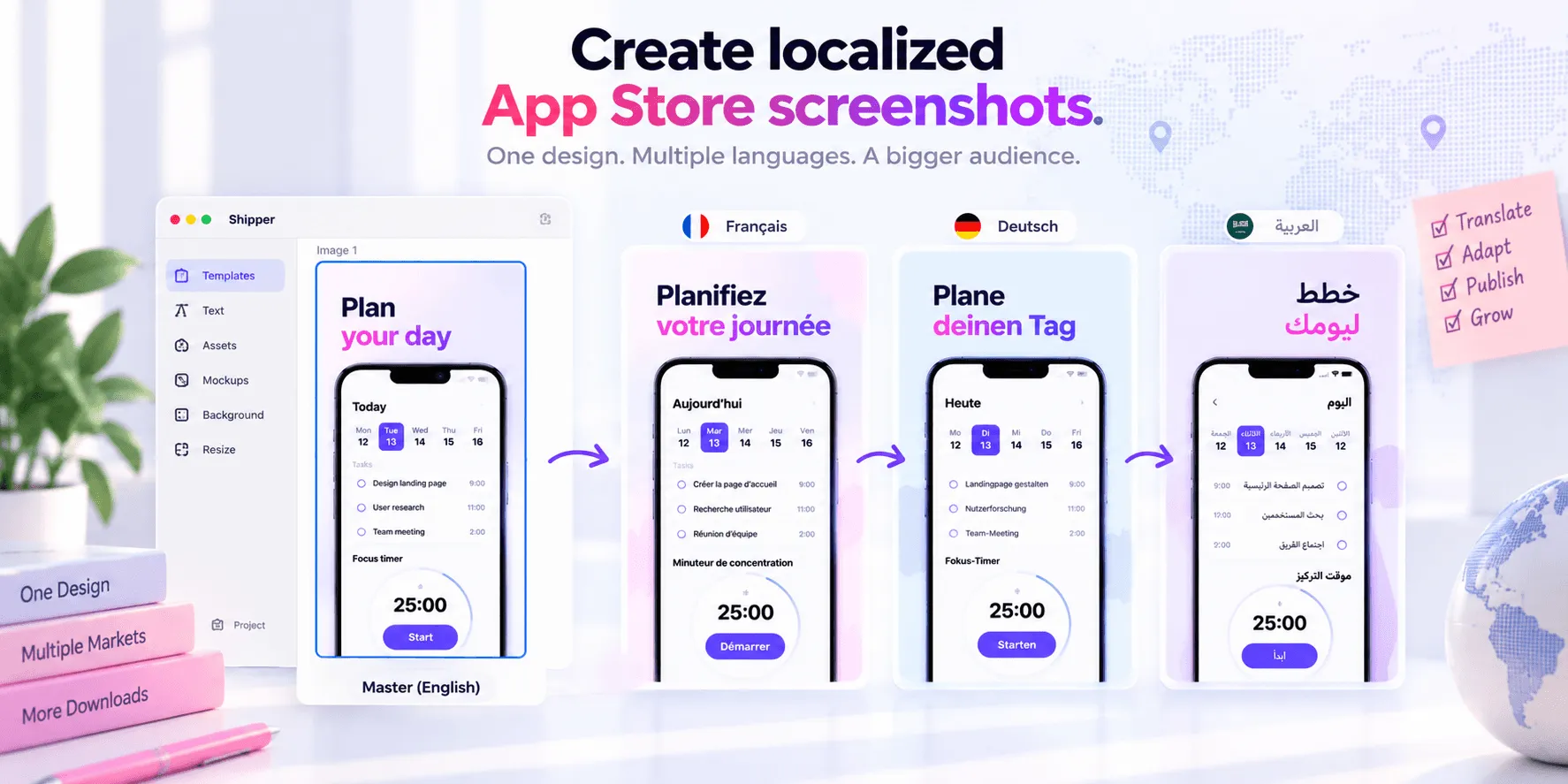
Shipper is built for the part of publishing that often becomes fragmented across design files, translation documents, folders, and App Store Connect.
A prepared workflow can look like this:
Define the source metadata and screenshot narrative.
Create the screenshot set (from a reusable template or design from a blank canvas).
Localize screenshot text and metadata, then review each market in context.
Use adaptive screenshot layouts to prepare the required Apple specifications.
Organize the approved assets by platform, specification, and locale.
Upload screenshots and metadata to App Store Connect with Shipper.
Return to App Store Connect to select the build, finish declarations, assemble the submission, and submit it for review.
With prepared copy, captured app screens, and a manageable localization scope, the target can be to complete the Shipper portion in under one hour. That is a workflow target, not a promise for every app. The number of locales, review rounds, and asset complexity all affect the result.
Shipper does not replace Xcode, TestFlight, legal review, or the final App Review submission in App Store Connect.
4. Complete the App Store Connect requirements
Select the processed build for the version, then work through every section marked incomplete. The exact fields vary by platform, app features, business model, account, and distribution regions.
App and version information
Confirm the primary and secondary categories, age rating, content rights, copyright, availability, price, and release method.
The age-rating questionnaire is required. An unrated app cannot be published.
For the release method, choose automatic release, manual release, or a scheduled release when available. For an update, phased release can gradually release the version over seven days. This controls release after approval, not how quickly Apple reviews the submission.
Privacy, accessibility, and compliance
Complete App Privacy answers for the app and included third-party code. They must match real data collection, use, tracking, and sharing.
A privacy policy URL is required for iOS and macOS apps. The policy must also be accessible inside the app.
If the app supports account creation, it must normally provide account deletion inside the app. Make the path easy for the reviewer to find and explain any legally required variation in the review notes.
Apple’s Accessibility Nutrition Labels are voluntary at this verification date, though Apple says they will become required over time. Only claim verified support. An accessibility URL is optional.
Answer export-compliance questions accurately. If the app uses, accesses, or contains encryption, Apple requires you to determine whether documentation is needed. Some apps qualify for an exemption, while others need documents attached to the beta or release build.
Do not guess based only on whether you wrote encryption code yourself.
Complete any conditional declarations App Store Connect shows, such as advertising identifier use, content rights, regulated medical-device information, or regional distribution requirements.
App Review information
Provide a current contact name, phone number, and email.
If the app requires authentication, supply an active demo account or an approved, fully featured demo mode. Keep the backend available throughout review.
Use the notes field to explain:
Where to find features that are not obvious
How to access every IAP or subscription
Required hardware, sample data, QR codes, or location conditions
Why a permission or entitlement is necessary
Anything the reviewer might otherwise interpret as broken or missing
5. Check Business, legal information, and URLs
Open the Business section before submission.
A free app can be distributed under the Apple Developer Program License Agreement. To sell a paid app or offer In-App Purchases, the Account Holder must accept the Paid Apps Agreement. Receiving payments also requires the tax and banking information that applies to the account.
These documents are not universal. Apple may request identity, company, or bank evidence during a compliance review.
Tax forms depend on the agreement and account location. Trader identification applies to relevant EU distribution. Regions and regulated categories can add requirements.
Use this legal and URL checklist:
Item | Status | Where or when it applies |
|---|---|---|
Privacy policy | Required for iOS and macOS apps | Dedicated App Store Connect field, plus an accessible link inside the app |
Support URL | Required platform-version property | Link to real support information, not an empty landing page |
Marketing URL | Optional | Dedicated field for a product website |
Apple standard EULA | Applied by default | No custom document is needed if Apple’s standard agreement is suitable. Link must be on your app description. |
Custom EULA | Conditional | Enter plain text in App Information for chosen countries or regions |
Terms of Use | Conditional or recommended | Needed when your service or subscription terms require it. Link must be on your app description. |
Subscription disclosures | Required for auto-renewable subscriptions | Present the required offer and legal information |
Account-deletion information | Conditional | Relevant when account creation exists |
User privacy choices URL | Optional | Use when a web page helps users manage privacy choices |
Accessibility URL | Optional | Link to app-specific accessibility details when provided |
Regional legal pages | Conditional | Add when the distributed product requires them |
Every submitted URL should load without authentication unless access is intentional, work over HTTPS, contain final content, and describe the same legal entity and product users see in the app.
6. Submit In-App Purchases and subscriptions correctly
Create each product before review. Complete its ID, reference name, type, price, availability, applicable tax category, and at least one localization.
For subscriptions, configure the group, duration, and offer information.
Upload an App Review screenshot that clearly shows the item or service inside the app. This screenshot is for Apple’s review and does not appear on the public product page.
Add review notes and credentials when the purchase path is not self-explanatory.
Apple’s current rule is specific by product type:
Your first consumable IAP must be submitted with a new app version.
Your first non-consumable IAP must be submitted with a new app version.
Your first auto-renewable subscription must be submitted with a new app version.
Your first non-renewing subscription must be submitted with a new app version.
A new subscription group must be submitted with at least one subscription.
After the first item of a type has been approved, later items of that type can be submitted without a new app version.
Add the relevant products to the review submission. Confirm that the selected build can retrieve, display, buy, restore, and unlock them in the sandbox.
If a configured product cannot be found in the app, explain why in the review notes. A complete metadata record cannot rescue a broken purchase flow.
7. Submit for App Review and prevent avoidable rejection
Add the app version and related items to a submission. Review the summary, then select Submit for Review.
As verified in August 2026, Apple says that 90% of submissions are reviewed in less than 24 hours on average. This is not a deadline or guarantee. The past few months (April 2026 to now), Apple Review delay to go from 'waiting for review' to 'in review' seems to be between 24 hours to 10 days.
An incomplete submission can take longer or fail review. Complex business models, special entitlements, regulated content, inaccessible accounts, legal or agreement issues, and follow-up questions can add time.
Apple accepts expedited-review requests through Developer Support, but does not promise approval or a fixed timeline.
Before pressing Submit, prevent the common problems that are fully under your control:
Test the archived release build on supported physical devices.
Remove crashes, placeholder text, dead links, and unfinished screens.
Keep metadata, screenshots, privacy answers, and the build consistent.
Make demo credentials reusable and verify them from a clean device.
Keep the production or review backend reachable.
Make IAPs visible and functional, with clear review instructions.
Explain non-obvious features, hardware needs, and special access.
Verify every permission purpose string and show prompts only when relevant.
Make account deletion available when account creation is supported.
Re-read the current App Review Guidelines instead of relying on an old checklist.
If Apple raises an issue, reproduce the reviewer’s path and read the cited guideline. Reply with exact steps and evidence, or ask for clarification in App Store Connect.
Final App Store submission checklist
Build
Record, identifiers, version, build, signing, capabilities, icons, and privacy manifests are correct.
The archive validates, processes, and meets current Xcode and SDK requirements.
TestFlight
Core flows, login, backend, permissions, and errors work on supported devices.
Purchases work in the sandbox, and external-review access is complete.
Product page
Text, category, and release notes are final.
Screenshots, previews, specifications, and localizations match the build.
Business and legal
Agreements and applicable tax, banking, trader, and compliance information are complete.
Required URLs, EULA, Terms of Use, and regional notices are handled.
Privacy and compliance
App Privacy, age rating, export compliance, and conditional declarations are complete.
Account deletion and permission disclosures match the app.
IAPs and subscriptions
Metadata, pricing, availability, localization, review assets, and access are complete.
First products are submitted with the version, and the build fulfills them.
App Review
The correct build and items are selected, and the release method is intentional.
Contact, credentials, app review notes, and backend access work.
FAQ
How long does App Store review take?
As verified in August 2026, Apple says that 90% of submissions are reviewed in less than 24 hours on average. This is not guaranteed. Incomplete information, access problems, complex features, legal checks, or reviewer questions can extend the process. However, since April/May 2026 your app can take 10 days to be 'in review'.
Is TestFlight approval the same as App Review approval?
No. TestFlight App Review allows eligible beta distribution to external testers. The public app version still goes through App Review, and beta approval does not guarantee that the release will be accepted.
Do I need to submit an In-App Purchase with the app build?
Apple requires the first consumable, non-consumable, auto-renewable subscription, and non-renewing subscription of each type to be submitted with a new app version. After the first item of a type is approved, later items of that type can be submitted separately.
Is a custom EULA required?
No. Apple’s standard EULA applies by default. Add a custom EULA only when your legal requirements call for one, and select the countries or regions where it should replace Apple’s standard agreement.
Can Shipper submit the entire app for review?
Shipper helps create, organize, localize, and publish App Store screenshots and metadata. You still select the build, complete declarations, assemble the review submission, and send the final app version to App Review in App Store Connect.
Conclusion
The safest way to publish an app on the App Store is to treat release as one connected workflow. The build, TestFlight results, product page, privacy declarations, agreements, purchases, and review notes must all describe the same finished product.
Prepare the technical release in Xcode, test the reviewer’s real path, and finish conditional requirements early. Then use a focused workflow for the product page.
If you want to create, localize, organize, and publish screenshots and metadata without moving between disconnected files, Shipper can simplify that part of the release.